Read-along for real audiobooks

Read while listening. Learn as you go.

Readuet lines your ebook up with its audiobook to the sentence, so the words light up as the narrator speaks them. Tap any word for a translation in context — and keep it.

Free, nothing to install. iPhone and Android apps are on the way.

Add a book and you're reading along about thirty seconds later. Free with thousands of built-in books, narration included — bring your own EPUB and MP3s from $4.99 a month, first week free.

biegłem I was running biec · to run
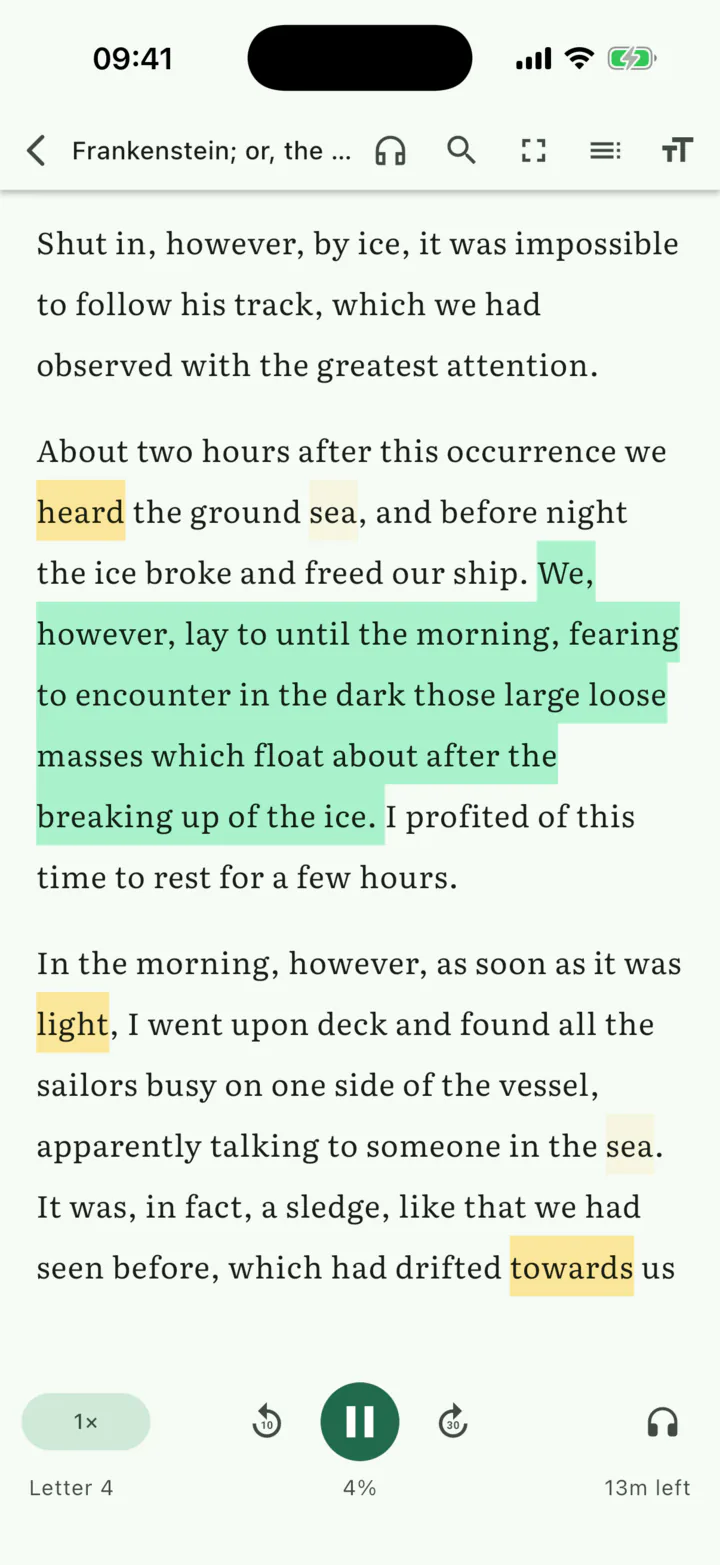
The Readuet reader on iPhone: the sentence currently being narrated is highlighted while the audiobook plays.

How it works

Add a book

Pick a free one from the built-in library, or drop in your own EPUB and its MP3s.

Start in about 30 seconds

You barely wait. The read-along opens from the front of the book and the rest lines up behind you.

Read along

The sentence being narrated is the sentence that's lit. Tap any word you don't know.

Sentence-level sync

The sentence you're hearing is the sentence you're reading.

Not chapter-level. Not paragraph-level. Every sentence in the book gets a start time, an end time and a confidence score.

And you don't wait for it. About thirty seconds after you add a book the read-along opens at the first page, and the rest keeps lining up behind you while you read — you will not catch up with it.

Front matter, publisher blurbs, narrator introductions and a spoken “Chapter One” where the page says nothing all get absorbed instead of throwing the whole book out of step. Tap a sentence to send the narrator there. Pause, read ahead, come back — the highlight is waiting where you left it.

  • ~30 s from adding a book to reading along
  • every sentence timed, start to end
  • a ten-hour audiobook, no wait
app.readuet.com/reader
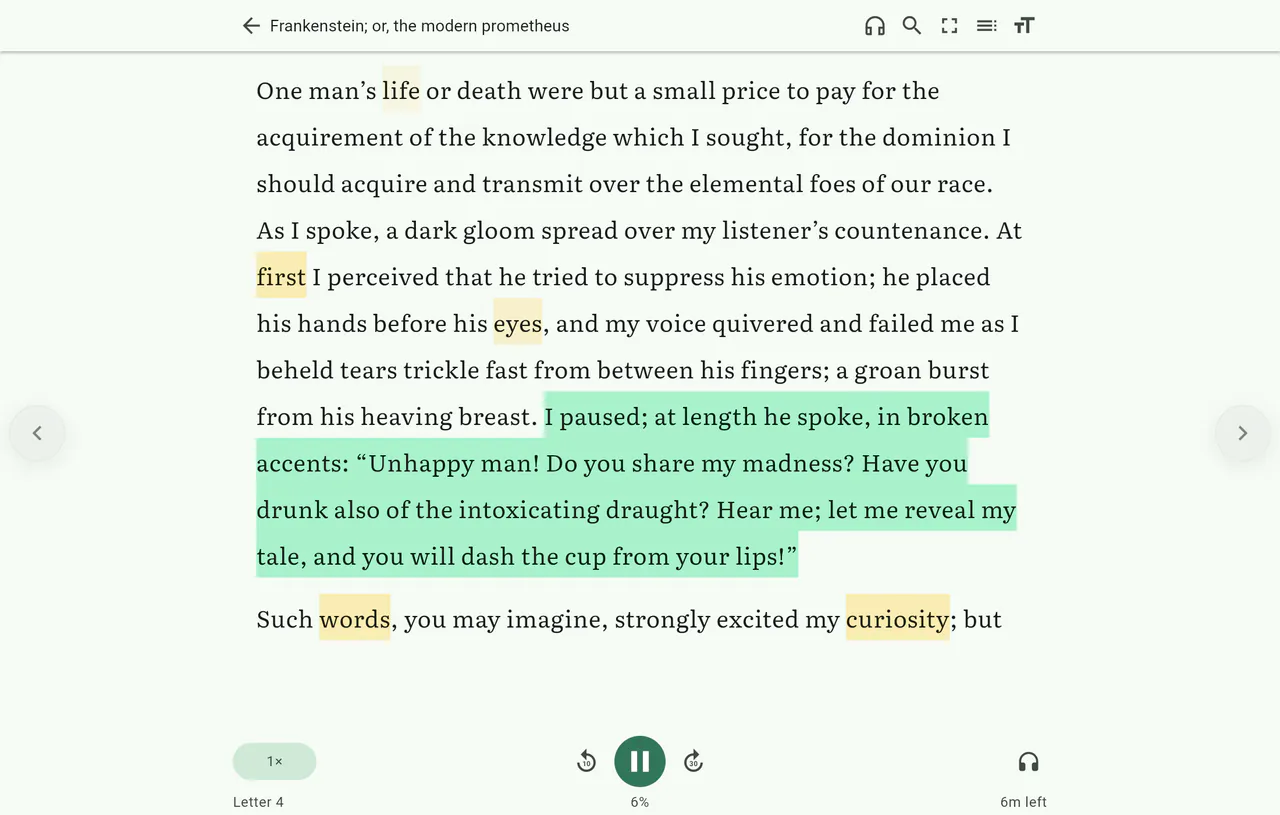
Readuet in a desktop browser: the narrated sentence highlighted inside a full-width reading view, with playback controls below.

Vocabulary

Tap a word. Keep the word.

Not a dictionary lookup — a translation of that word in that sentence, glossed inline without ever leaving the page.

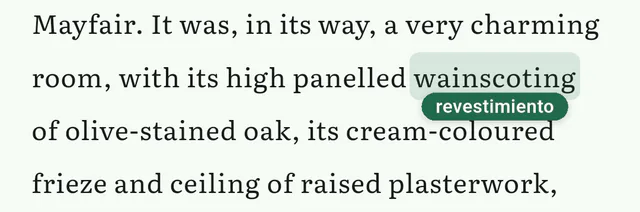
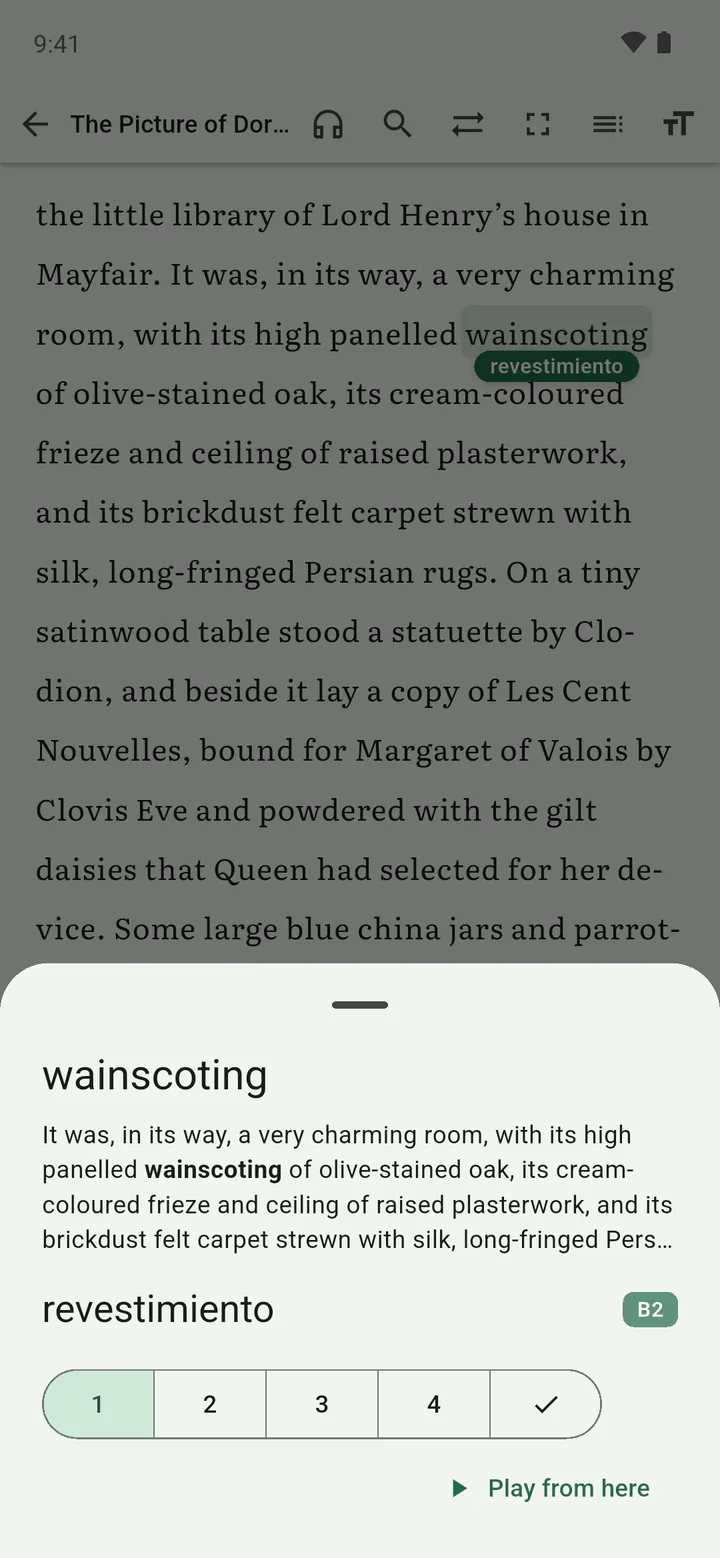
A close-up of the Readuet reader: the word “wainscoting” is tapped and the Spanish translation “revestimiento” appears in a bubble directly beneath it, inside the sentence.
One tap on wainscoting, and revestimiento is there under it — in the sentence, in your language, without the page moving.

One word, every form

Vocabulary is keyed by dictionary form. Learn Polish biegłem and you have also learned biegnę, biegnie and biec — one card instead of four, and every form stops glowing at once. A word you already know is recognised on the device, offline and instantly, in whatever form it turns up in.

Amber that means something

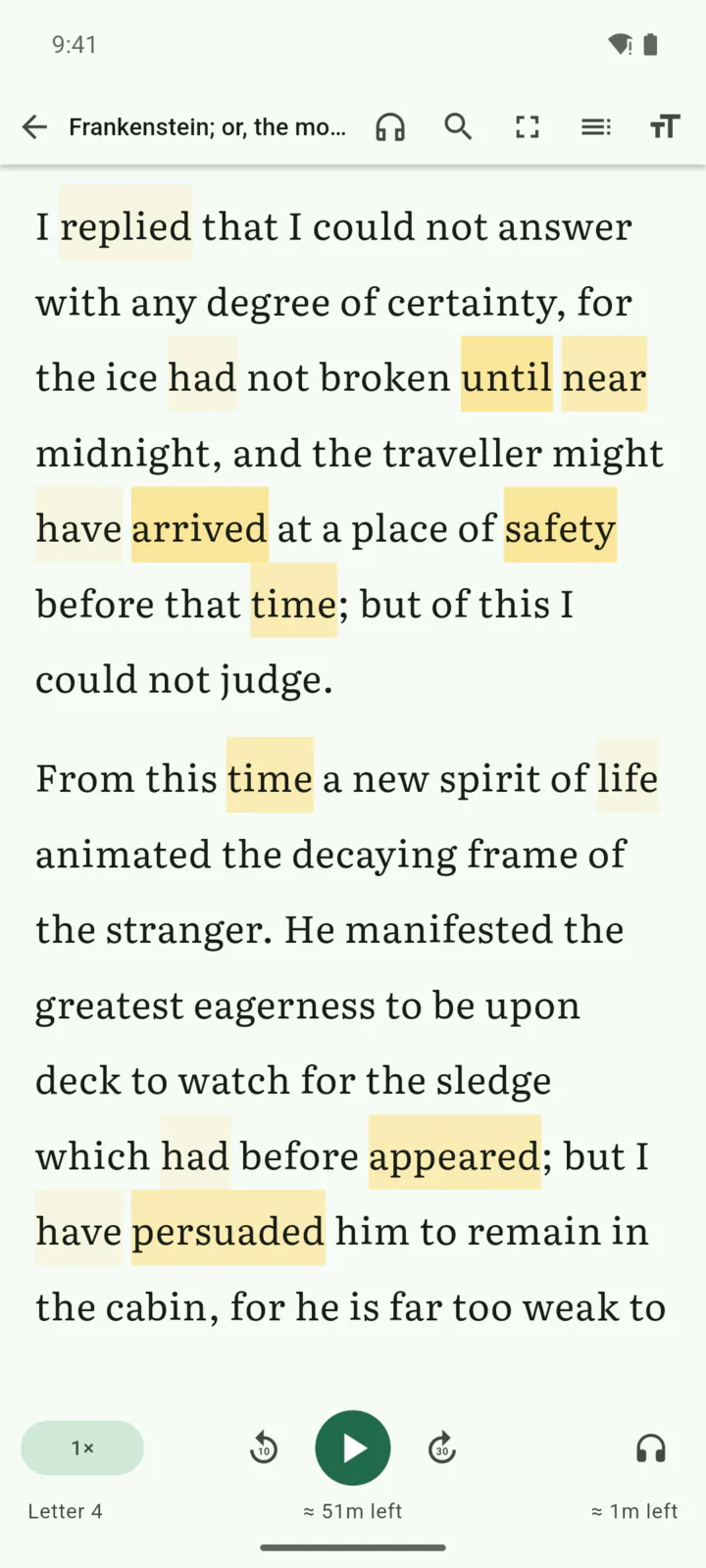
The highlight fades as a word gets retained, not as you click it. It comes from how stable that word is in your memory, so something you keep forgetting keeps glowing until it sticks.

Three ways to know a word

Recognise it, produce it, use it — each with its own memory, and the harder modes only unlock once the one below is holding. Meeting a word in a real book counts as a review too.

Tapping the glossed word again in Readuet on Android opens its card: the translation, the sentence it was met in, its CEFR level, and the five-step knowledge ladder.
A page in Readuet on Android where vocabulary words are shaded amber according to how well they are remembered.

Today's story

Reading is the review.

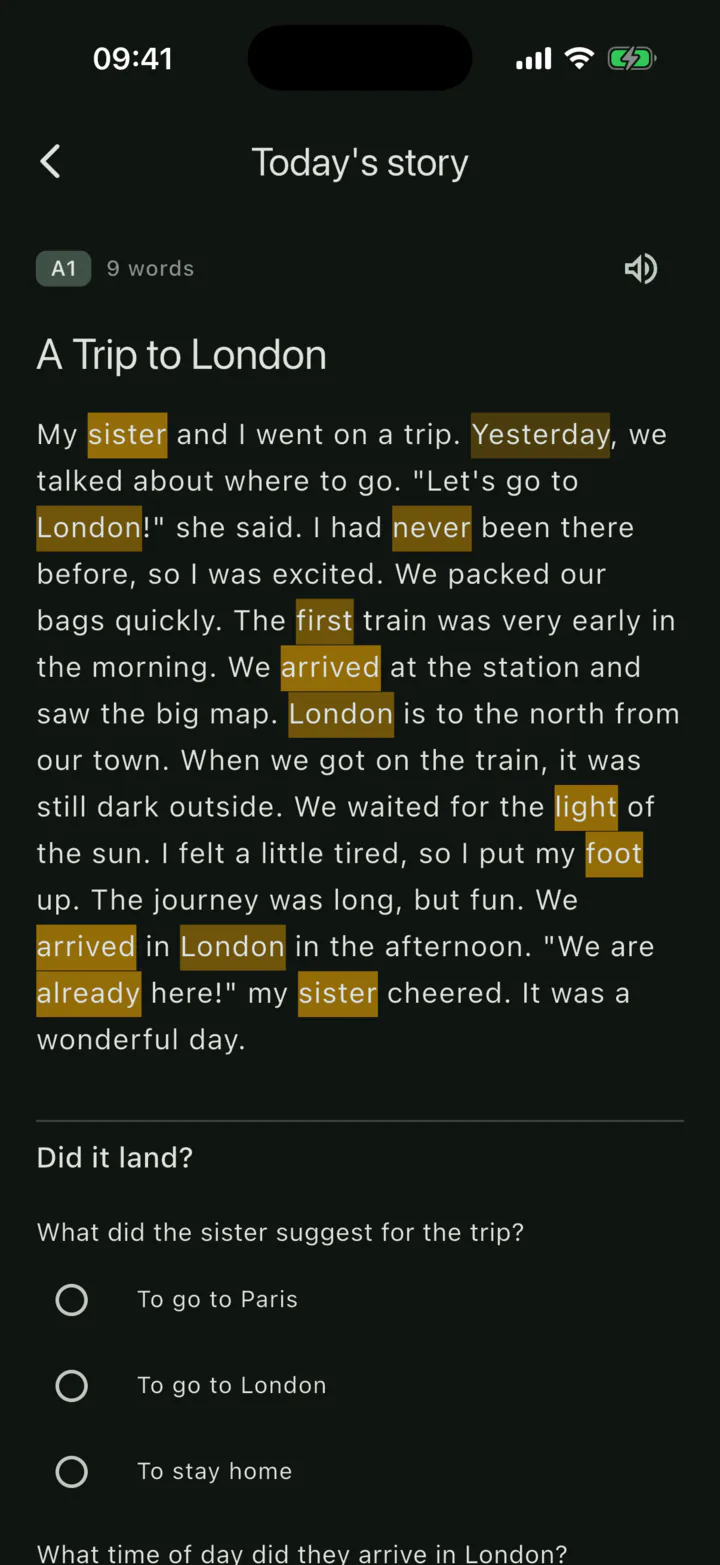
Every day, one short passage written out of the words you actually owe reviews on, at your reading level, narrated, with tap-to-gloss on every word.

Get through a target word without tapping it and that counts as a successful recall. Tap it and that counts as a lapse. There are no Again / Hard / Good / Easy buttons, because “tap to reveal, decide you knew it” is exactly where flashcards leak.

One a day. An unread story waits for you instead of being replaced by a new one. Part of Duet.

Today's Story in Readuet: a short daily passage generated from the words you are due to review, with target words shaded amber.

Free library

Start tonight. For free.

Thousands of public-domain books with matching narration, already paired and already checked. You don't need to own anything — or pay anything — to begin.

These books are aligned once and shared by everyone who reads them, so the read-along highlight on them is free. Not a sample, not a first chapter: the whole book, the whole vocabulary engine, on the free plan.

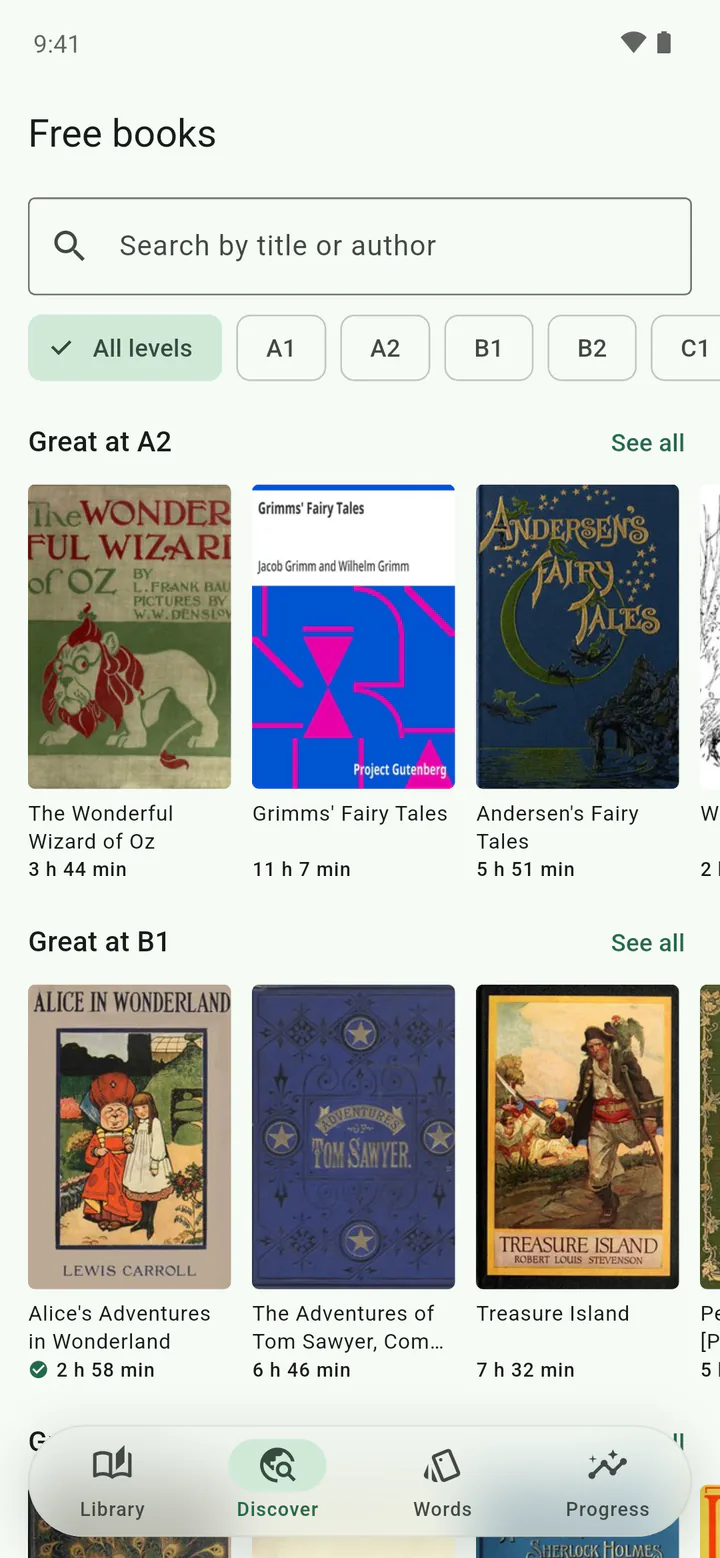
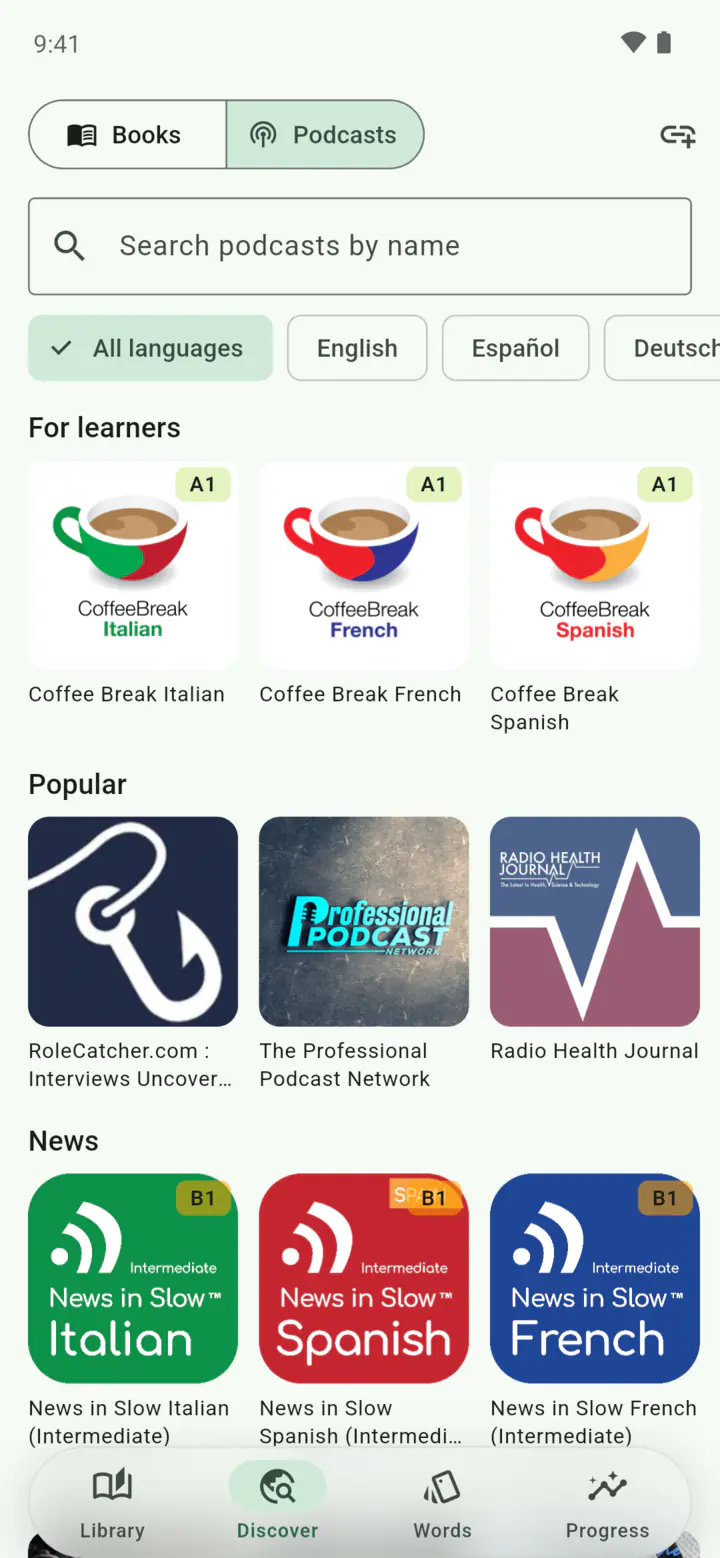
Text comes from Project Gutenberg, narration from LibriVox. Every title carries a reading level from A1 to C2, so you can shelve by “what can I actually read” rather than by genre — Treasure Island is B1; Moby Dick is C2. One tap adds it, and if someone has read it before you, it's ready instantly.

  • A1
  • A2
  • B1
  • B2
  • C1
  • C2

Pairings are machine-scored and spot-checked by hand — dramatic readings, abridgements and mismatched translations are rejected before they're published, and anything that drifts later gets pulled.

Readuet's free public-domain catalog on Android, with books shelved by CEFR reading level and one-tap adds.

Bring your own

Already own the pair? Upload it.

Your files, aligned and kept for you. Readuet doesn't sell books or audiobooks — it lines up the ones you already have.

Any reasonable format

  • EPUB
  • FB2
  • TXT
  • MP3
  • M4A
  • M4B
  • AAC
  • OGG
  • FLAC
  • WAV

Multi-file audiobooks

Forty-two chapter MP3s are fine. Uploads stream, so processing starts before the last file has finished going up, and you can leave the screen.

Yours everywhere

Download a book for offline reading and listening, and your position follows you between phone, tablet and browser — mid-sentence.

It follows you off Readuet, too. KOReader talks to Readuet as its own sync server, so the page you reach on an e-ink reader is the sentence the narrator resumes at. For Kindle, which has no sync API at all, photograph the page — the text is read off the photo and matched back into the book.

Listening mode

Some nights you just want the audiobook.

One tap turns the reader into a proper player, without losing your place or restarting playback.

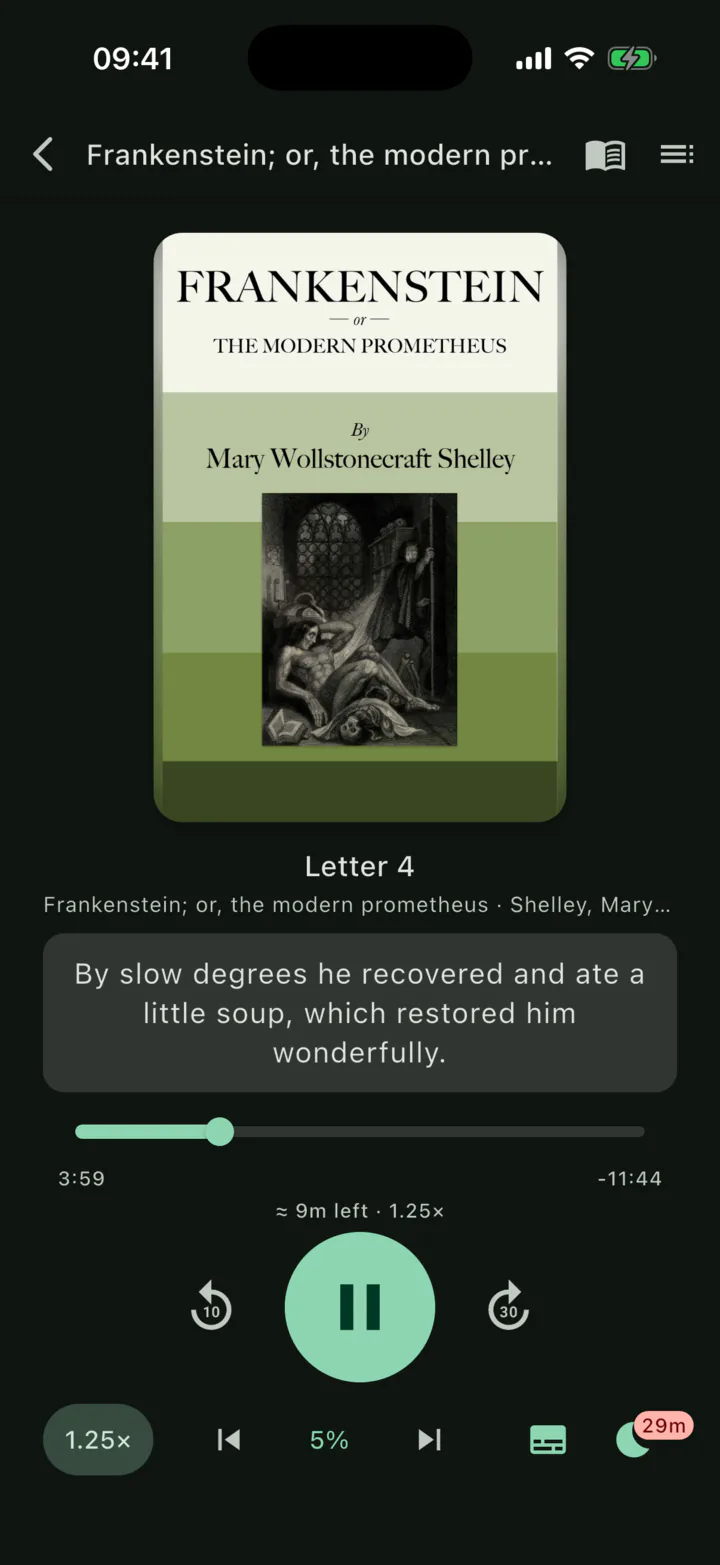
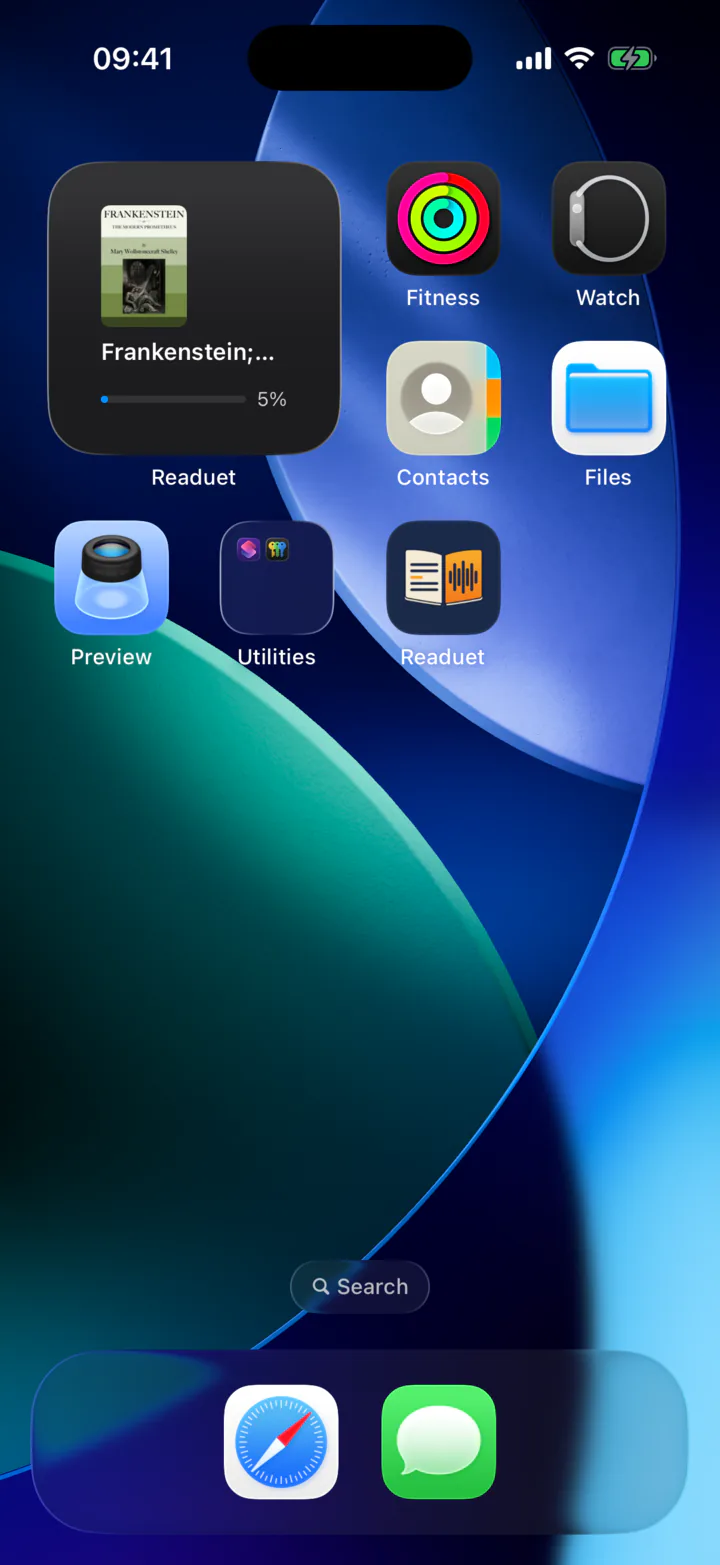
Sleep timer that can end on the chapter rather than mid-sentence. Speed you can slide with your thumb. Captions to pull up when you lose the thread, showing the sentence you're hearing right now. Lock-screen controls that name the actual chapter. And a home-screen widget that picks up where you left off.

Readuet's listening mode on iPhone with a chapter scrubber, playback speed and an armed sleep timer.
The Readuet home-screen widget on iOS showing the book to continue and how far through it you are.

Progress

Proof it's working.

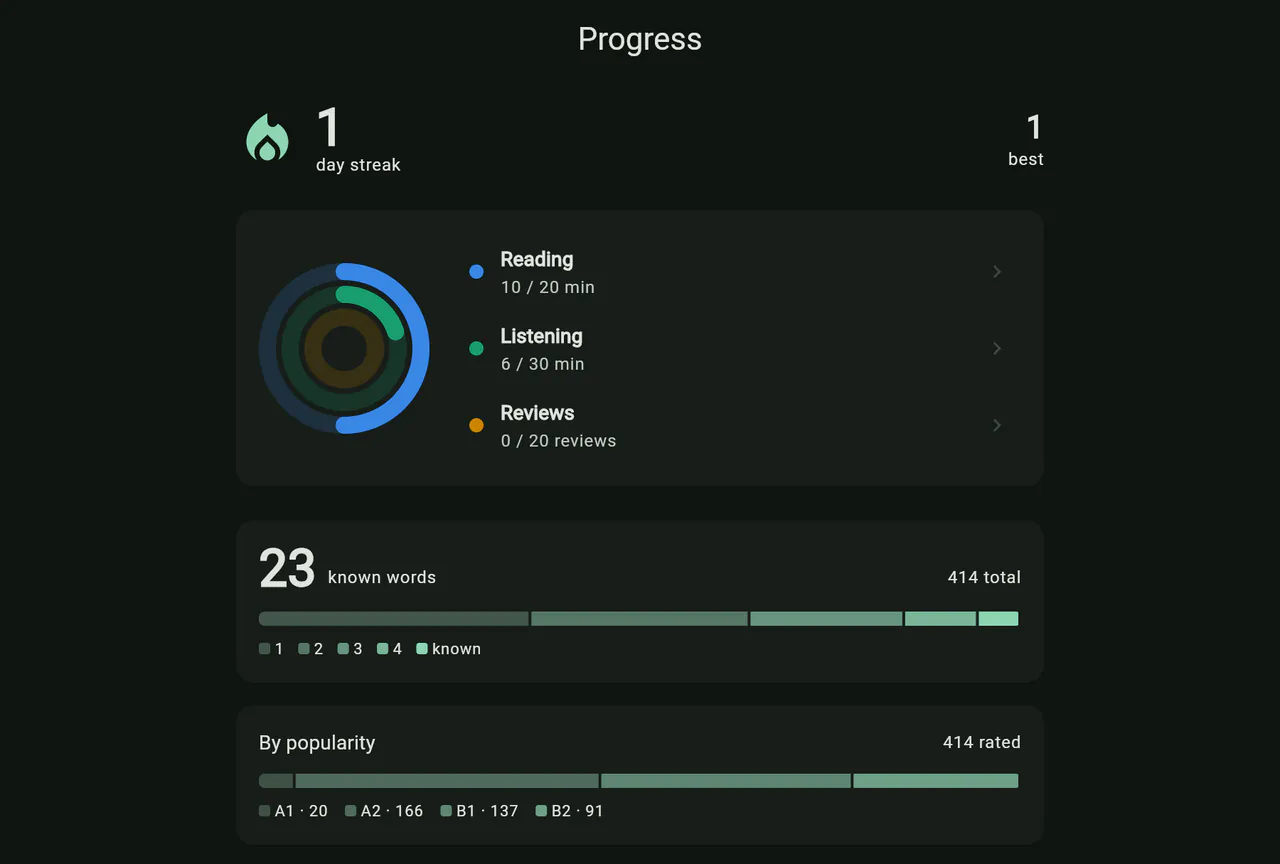
A streak, three daily rings, six months of activity, and your vocabulary broken down by level — so “I've been reading a lot lately” becomes a number.

Every review is recorded together with the state your memory was in before you answered. That's dull plumbing, and it's the only honest way to ever tell whether any of this is actually helping you.

app.readuet.com/progress
Readuet's progress dashboard showing a reading streak, daily activity rings against your goals, and a vocabulary breakdown by level and by difficulty band.

Pricing

Start free. Pay when you bring your own books.

The library — thousands of books with their narration — is free, read-along included, with the vocabulary engine running on all of it. A subscription is for aligning the ebooks and audiobooks you already own: Solo does it when you ask, Duet does it by itself as the narrator reads.

Free

Read along with our library.

$0forever

No card needed

  • Thousands of public-domain books, narration included
  • The read-along highlight on every one of them
  • The whole vocabulary and review engine

Solo

Add your own books — lined up whenever you ask.

$4.99/ month


$29.99/ year

$2.50 a month — save 50%

First week free

  • Adds to Free:
  • Your own EPUB, FB2 or TXT plus MP3, M4A, M4B and more
  • Multi-file audiobooks, processed while you leave the screen
  • Any library title, including ones nobody has opened yet
  • Tap a sentence to play from there, or pause to find your place again — usually under three seconds
  • The live highlight that keeps pace with the narrator
Three plans, one question: whose books — and how quickly do the words line up?
Feature Free Solo Duet
Our library, read-along and all included included included
Your own ebooks and audiobooks not included included included
Text and audio in sync, in your own books not included On request As it plays
Today's story not included not included included

Every plan includes the free library, tap-to-translate vocabulary keyed by dictionary form, spaced-repetition review, listening mode with a sleep timer and lock-screen controls, the home-screen widget, offline downloads, and position sync across your phone, tablet, browser and KOReader.

Prices shown in US dollars; you'll see your local currency in the app. Both paid plans start with a free week. Subscriptions are billed by the App Store or Google Play and can be cancelled there at any time. More about billing.

One thing to know about the free plan: a library title someone has already opened is instant, because the alignment is done and shared. A title nobody has ever opened has to be transcribed first, and that is the part a subscription pays for.

Straight answers

The things worth knowing first.

Do I need to own both the ebook and the audiobook?

For your own books, yes. Readuet aligns files you already have — it doesn't sell, supply or source either half. If you don't own a matching pair, use the free public-domain library, where both halves are included and legally clear.

Which languages does it work with?

Read-along and tap-to-translate work across a very wide range of languages — dozens of them, in both the book you're reading and the language you want it explained in.

The “one word, every form” grouping is the part with a shorter list: it covers ten major European languages, English, Spanish, French, German, Italian, Portuguese, Polish, Dutch and Ukrainian among them. Everywhere else words are matched exactly as they appear, which is a real limitation in languages like Turkish, Finnish and Hungarian, where words are built by stacking endings.

Chinese, Japanese and Korean are not supported yet.

What do I get without paying?

The library and everything that runs on it: read-along, tap-to-translate, the vocabulary levels and the review sessions, offline downloads, listening mode. No card, and no clock counting down.

A subscription is for your own files — the ebook and audiobook you already own, which have to be transcribed and aligned for you specifically. That is the work that costs real money, so that is what's paid for.

Can I read on my Kindle or KOReader and keep my place?

Yes, in both directions. KOReader has a progress-sync plugin and Readuet is the server it talks to, so you point it at Readuet once and the position moves by itself — the narrator resumes at the sentence your e-reader stopped on.

Kindle publishes no sync interface of any kind, so the bridge is manual but quick: take a photo of the page and Readuet reads the text off it and finds the spot in the book. Going the other way, it hands you a phrase that occurs exactly once, to paste into Kindle's search.

What files can I upload?

EPUB, FB2 and TXT for text. MP3, M4A, M4B, AAC, OGG, FLAC and WAV for audio, including audiobooks split across many files. No PDF — a PDF doesn't carry reliable sentence structure, and guessing at it would poison the alignment.

What if the narrator doesn't read exactly what's on the page?

That's normal, and it's handled. Copyright pages, dedications, “this recording is presented by…”, spoken chapter numbers — all of it gets absorbed instead of sliding the rest of the book out of step. A sentence that genuinely can't be matched is estimated from its neighbours rather than left silently wrong.

Does it work offline?

Downloaded books read and play offline, and a word you already know is still recognised on the device, even in a form you've never seen before. Translating a brand-new word needs a connection.

Is the app in my language?

The interface ships in eleven, including English, German, Spanish, French, Italian, Dutch, Polish, Portuguese, Turkish and Ukrainian. Translations of words you tap can go into dozens of target languages, independently of the interface language.

Can I use it on a computer?

Yes — app.readuet.com, same account, same books, same position. No install.

What happens to my books and my data?

Your uploads are private to you and served through short-lived signed links. The full detail is in the privacy policy. You can delete your account and everything in it from inside the app or from this page — immediately, with no grace period and without asking us. Removing one thing rather than the lot is on the data page, and support covers both.

Read while listening. Learn as you go.

Pick a free book and see what the sync feels like before you commit to anything.

Open the web app

Free to start, nothing to install. iPhone and Android apps are on the way.