
Getting started with Readuet
Create an account, pick the language you translate into, and open your first book.
Create your account
- Open the app, or go to app.readuet.com in a browser.
- Choose Create account and enter your email and a password. You can also continue with Google or Apple, which skips the next step.
- We email you a six-digit code. Type it in to verify the address.
If the code does not arrive within a minute, check your spam folder and then use Resend code. If you already have an account and cannot remember the password, use Forgot your password? on the sign-in screen — that sends a code to the same address, and you set a new password once you have entered it.
Choose the language you translate into
The first thing Readuet asks is what to translate words into — your own language, not the language you are learning. Tap any word while reading and its meaning appears in this language.
There are 67 to choose from, and the picker has a search box. Nothing here is permanent: Settings → Translate words into changes it whenever you like.
Set your daily pace
Next come three daily goals — minutes of reading, minutes of listening, and word reviews. They drive the rings and the streak on your Progress screen, and nothing else. Nothing is locked or taken away if you miss a day.
Small numbers are the point. You can change all three later, from Settings or by tapping a ring on the Progress screen.
Open your first book
Your library starts empty, so Readuet sends you to Discover — a free catalog of classics, each already paired with a narrated audiobook.
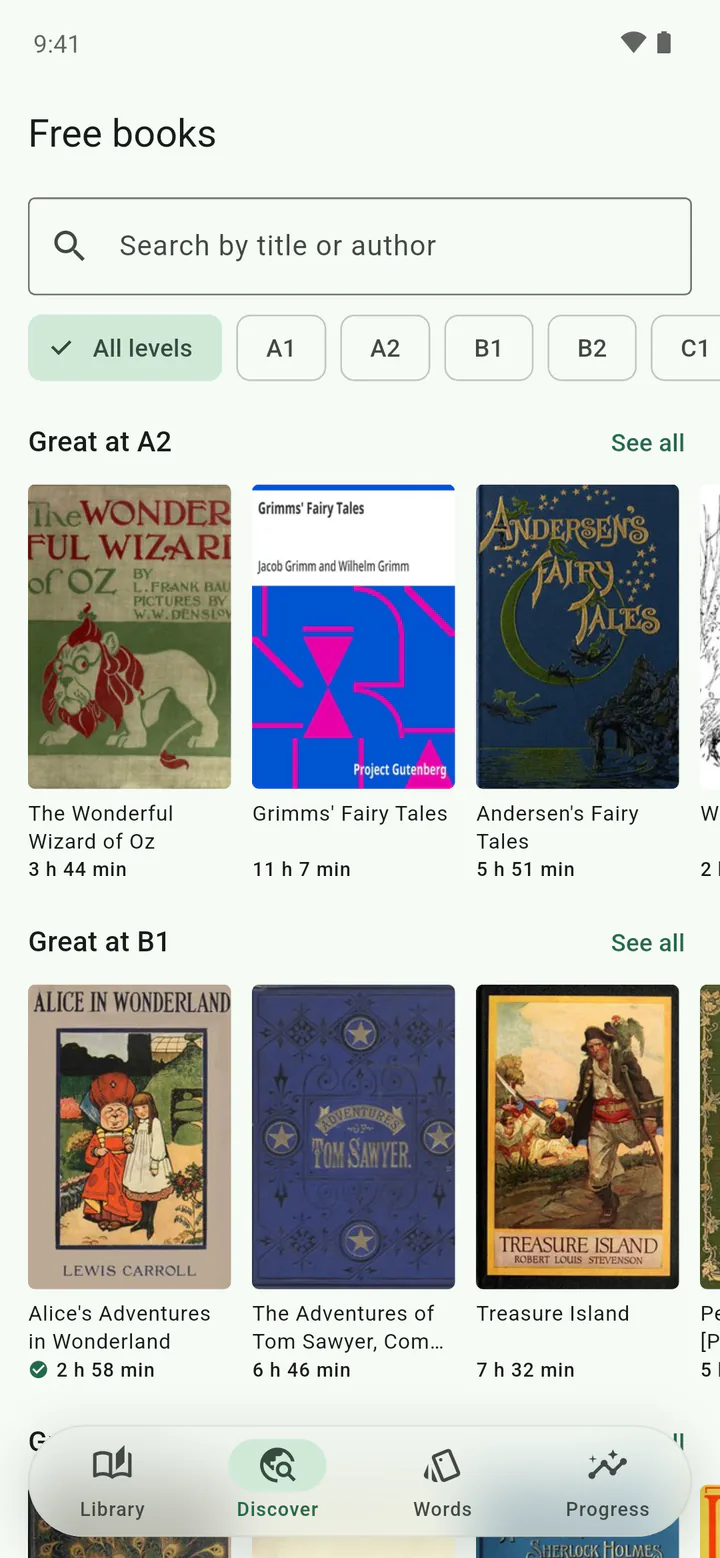
- Filter by level if you want to — A1 is the gentlest, C2 the hardest.
- Pick a book and tap Add.
- A book badged Instant opens right away. Anything else has to be fetched and lined up with its audiobook first; you can leave the screen, and we notify you when it is ready.
Everything in Discover is free, including the read-along highlight, on every plan. A subscription is for bringing in your own files — see Plans.
The guided tour
The first book you open runs a short tour: find a book, tap a word, hold a sentence to hear it, watch the highlight follow the narrator, then the Words tab.
You can run it again at any time from Settings → Replay reader tips.
Still stuck? The support page covers billing, account deletion and how to reach us.